
Improve Bash Command History
Improve Bash Command History
You can also configure Bash to keep a much larger command history and synchronize history updates more reliably between terminal sessions.
Edit your Bash configuration file:
sudo vim ~/.bashrcAdd the following lines to the end of the file:
export PROMPT_COMMAND="history -a; history -c; history -r"
shopt -s histappend
export HISTSIZE=1000000
export HISTFILESIZE=2000000
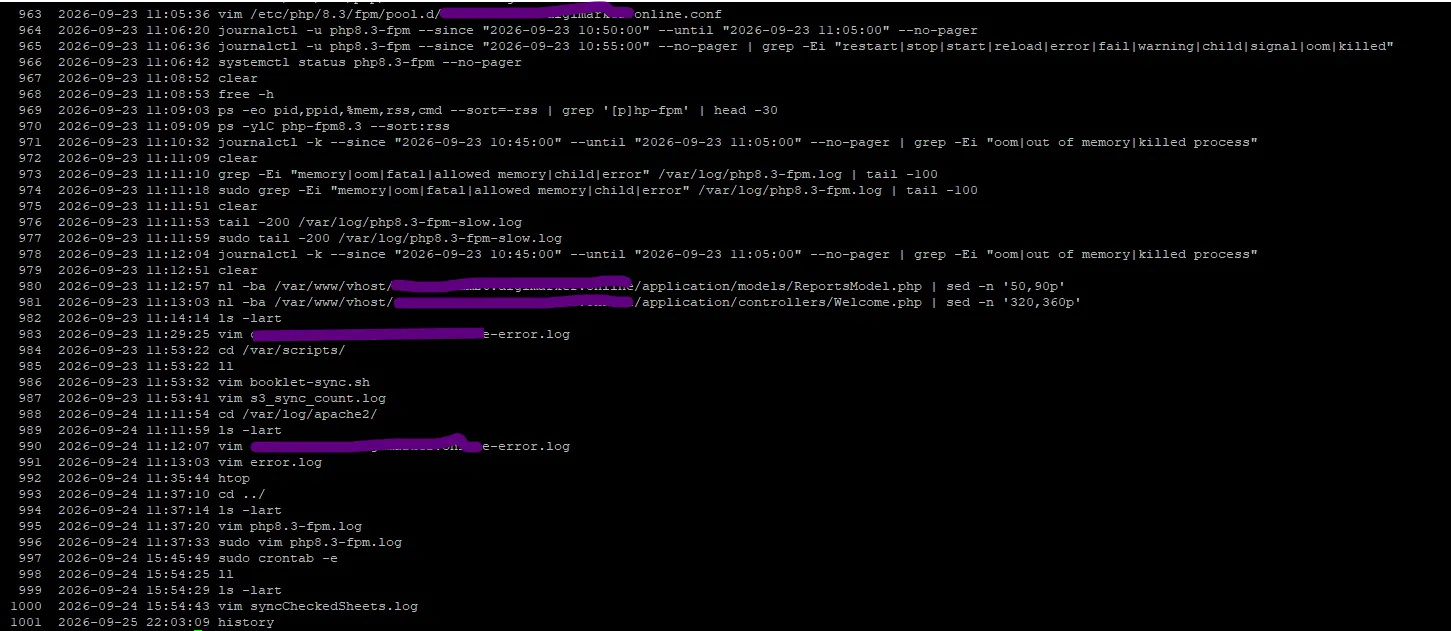
export HISTTIMEFORMAT="%F %T "
Apply the changes without logging out:
source ~/.bashrcWhat These Settings Do
PROMPT_COMMANDruns the specified history commands before the shell displays the prompt.histappendappends new history entries instead of replacing the existing history file.HISTSIZE=1000000sets the shell history size to 1,000,000 commands.HISTFILESIZE=2000000allows the history file to retain up to 2,000,000 entries.HISTTIMEFORMATadds the date and time when commands are displayed withhistory.
Result: After running
source ~/.bashrc, the Bash history configuration is active for the current shell.Verify the Configuration
echo "$HISTSIZE"
echo "$HISTFILESIZE"
echo "$HISTTIMEFORMAT"
history | tail
Discussion (0)