
Create a 4 GB Swap File
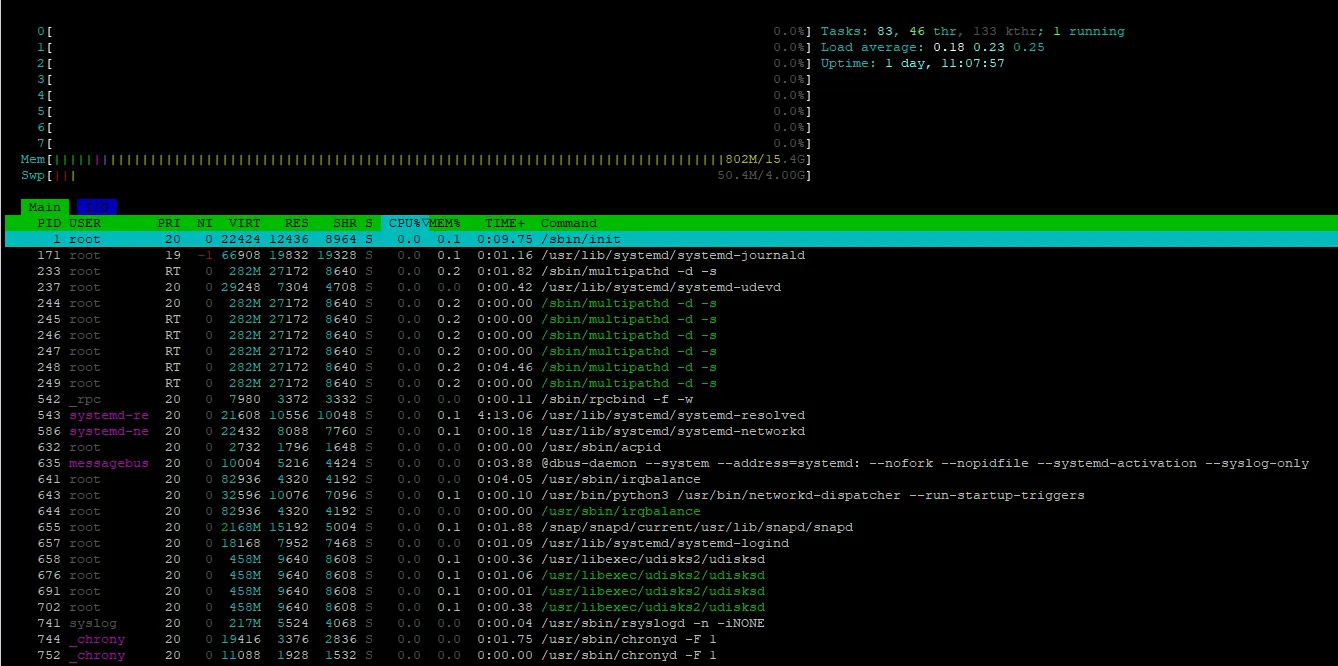
Swap provides disk-based virtual memory that Linux can use when physical RAM becomes heavily utilized. The following commands create a 4 GB swap file, enable it immediately, and configure it to be enabled automatically after a reboot.
Step 1: Create the Swap File
sudo fallocate -l 4G /swapfileStep 2: Secure the Swap File
Restrict access to the swap file so that only root can read or modify it:
sudo chmod 600 /swapfileStep 3: Format the File as Swap
sudo mkswap /swapfileStep 4: Enable Swap Immediately
sudo swapon /swapfileStep 5: Enable Swap After Reboot
Add the swap file to /etc/fstab:
echo '/swapfile none swap sw 0 0' | sudo tee -a /etc/fstabStep 6: Set Lower Swappiness
Set the current kernel swappiness value to 10:
sudo sysctl vm.swappiness=10Make the setting persistent across reboots:
echo 'vm.swappiness=10' | sudo tee -a /etc/sysctl.confVerify the Swap Configuration
swapon --show
free -h
sysctl vm.swappiness
You should see /swapfile listed as active swap and the swappiness value set to 10.
Result: The server now has a 4 GB swap file that is enabled immediately and configured to remain available after reboot.
Discussion (0)