
Search and Download Files from AWS S3 Using Python
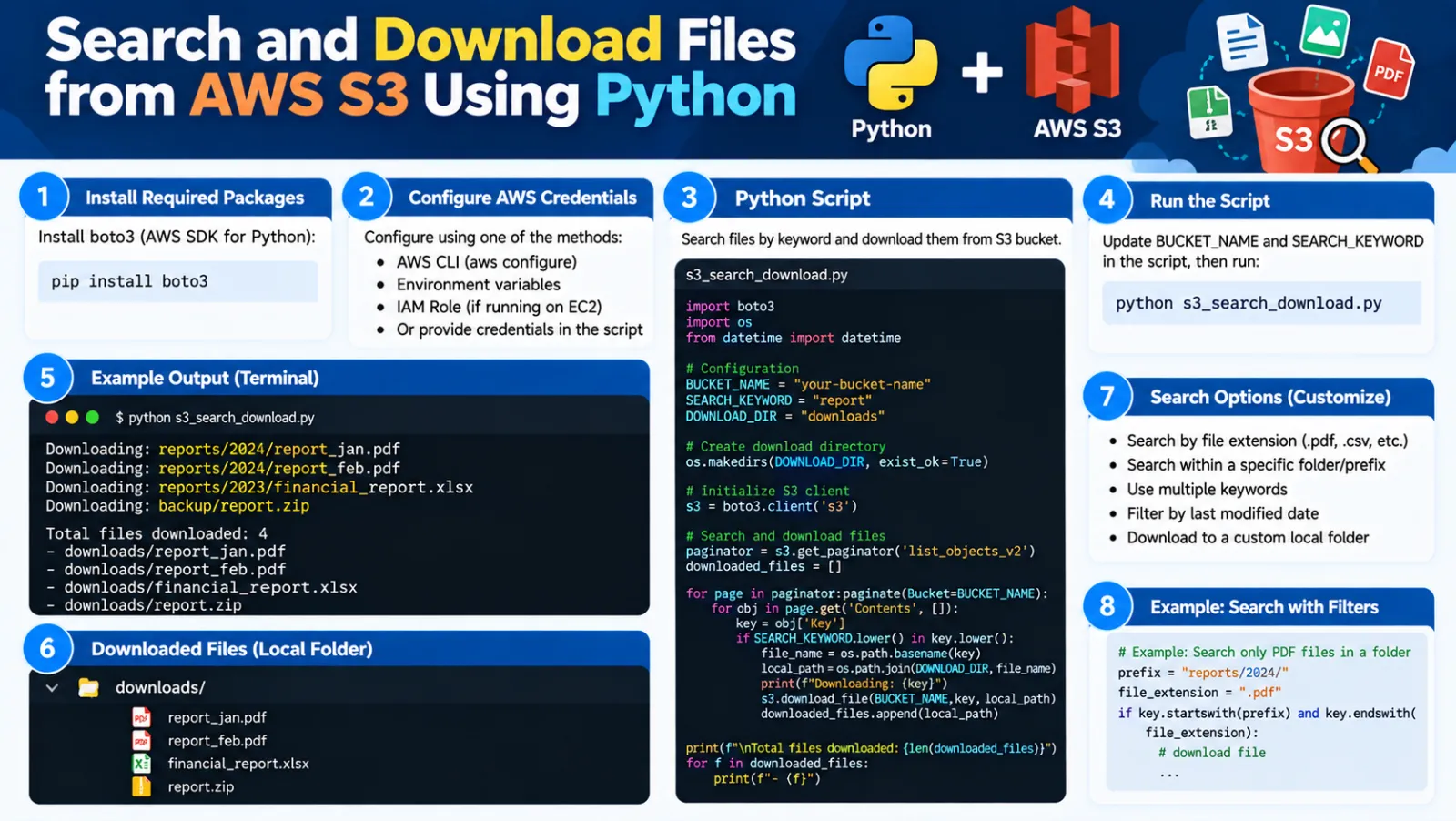
Search and Download Files from AWS S3 Using Python
When an Amazon S3 bucket contains a large number of files distributed across multiple folders, manually searching for and downloading specific files can take a lot of time.
In this tutorial, we will create a Python script using Boto3 to search an AWS S3 bucket for specific filenames and download the matching files to a local folder.
What This Script Does
- Connects to an AWS S3 bucket.
- Reads required filenames from pdf_list.txt.
- Finds the top-level folders in the S3 bucket.
- Searches objects inside those folders.
- Matches S3 filenames with the requested filenames.
- Downloads matching files to a local directory.
- Uses multiple threads for concurrent downloads.
- Logs successful downloads and errors.
Example S3 Structure
my-bucket/ ├── 2024/ │ ├── January/ │ │ ├── document1.pdf │ │ └── document2.pdf │ └── February/ │ └── document3.pdf ├── 2025/ │ ├── January/ │ │ └── document4.pdf │ └── February/ │ └── document5.pdf
If pdf_list.txt contains:
document2.pdf document4.pdf document5.pdf
The script searches the S3 bucket and downloads these matching files automatically.
Prerequisites
- Python 3
- An AWS account
- An Amazon S3 bucket
- AWS permissions to list and download the required S3 objects
- Internet connectivity
1. Install Boto3
Boto3 is the AWS SDK for Python and allows Python applications to communicate with AWS services such as Amazon S3.
pip install boto3
If required, use:
python -m pip install boto3
2. Create the File List
Create a file named pdf_list.txt in the same directory as the Python script.
document1.pdf document2.pdf document3.pdf document4.pdf
Add one filename on each line. The script will search the S3 bucket for these filenames.
3. Configure the Script
aws_access_key_id = 'YOUR_ACCESS_KEY' aws_secret_access_key = 'YOUR_SECRET_KEY' bucket_name = 'YOUR_BUCKET_NAME' local_directory = r'D:\Downloads\S3Files' max_workers = 10
- aws_access_key_id - AWS access key.
- aws_secret_access_key - AWS secret key.
- bucket_name - S3 bucket to search.
- local_directory - Local folder where files will be downloaded.
- max_workers - Number of concurrent download threads.
Security Note: Never publish real AWS access keys or secret keys in a tutorial, Git repository, screenshot, or public website. Use placeholders in examples and secure credential mechanisms in real environments.
4. Complete Python Script
Save the following code as s3_download.py:
import boto3
import logging
import os
from concurrent.futures import ThreadPoolExecutor, as_completed

# Configure logging
logging.basicConfig(level=logging.INFO, format='%(asctime)s - %(levelname)s - %(message)s')

# AWS credentials
aws_access_key_id = 'YOUR_ACCESS_KEY'
aws_secret_access_key = 'YOUR_SECRET_KEY'

bucket_name = 'YOUR_BUCKET_NAME'
local_directory = r'D:\Downloads\S3Files'
max_workers = 10  # Number of threads to use for concurrent downloads

# Create a session using the specified credentials
session = boto3.Session(
    aws_access_key_id=aws_access_key_id,
    aws_secret_access_key=aws_secret_access_key,
)

s3 = session.client('s3')

# Ensure local directory exists
os.makedirs(local_directory, exist_ok=True)

def list_all_objects_in_prefix(bucket, prefix):
    paginator = s3.get_paginator('list_objects_v2')
    for result in paginator.paginate(Bucket=bucket, Prefix=prefix):
        for content in result.get('Contents', []):
            yield content['Key']

def download_file(bucket_name, key, local_file_path):
    try:
        s3.download_file(bucket_name, key, local_file_path)
        logging.info(f'Downloaded {key} to {local_file_path}')
    except Exception as e:
        logging.error(f'Error downloading {key}: {str(e)}')

def search_and_download_files(bucket_name, prefixes, pdf_filenames):
    pdf_set = set(pdf_filenames)
    with ThreadPoolExecutor(max_workers=max_workers) as executor:
        future_to_key = {}

        for prefix in prefixes:
            logging.info(f'Checking prefix: {prefix}')
            try:
                for key in list_all_objects_in_prefix(bucket_name, prefix):
                    file_name = os.path.basename(key)

                    if file_name in pdf_set:
                        local_file_path = os.path.join(local_directory, file_name)
                        future = executor.submit(
                            download_file,
                            bucket_name,
                            key,
                            local_file_path
                        )
                        future_to_key[future] = file_name

            except Exception as e:
                logging.error(f'Error searching in prefix {prefix}: {str(e)}')

        for future in as_completed(future_to_key):
            file_name = future_to_key[future]

            try:
                future.result()
            except Exception as e:
                logging.error(f'Error downloading {file_name}: {str(e)}')

if __name__ == '__main__':
    try:
        with open('pdf_list.txt', 'r') as file:
            pdf_filenames = file.read().splitlines()

        # List all top-level folders in the bucket
        top_level_prefixes = []

        paginator = s3.get_paginator('list_objects_v2')

        for result in paginator.paginate(
            Bucket=bucket_name,
            Delimiter='/'
        ):
            top_level_prefixes.extend(
                [
                    prefix['Prefix']
                    for prefix in result.get('CommonPrefixes', [])
                ]
            )

        search_and_download_files(
            bucket_name,
            top_level_prefixes,
            pdf_filenames
        )

    except Exception as e:
        logging.error(f'Error processing pdf_list.txt: {str(e)}')
5. How the Script Works
Step 1 - Connect to Amazon S3
session = boto3.Session( aws_access_key_id=aws_access_key_id, aws_secret_access_key=aws_secret_access_key, ) s3 = session.client('s3')
The script creates a Boto3 session and an S3 client for communicating with Amazon S3.
Step 2 - Create the Local Directory
os.makedirs(local_directory, exist_ok=True)
This creates the destination folder if it does not already exist.
Step 3 - Search S3 Objects
paginator = s3.get_paginator('list_objects_v2')
The paginator processes S3 objects in pages, which is useful when the bucket contains many objects.
Step 4 - Match the Filename
file_name = os.path.basename(key) if file_name in pdf_set:
For an S3 key such as 2025/exams/document1.pdf, os.path.basename() extracts document1.pdf. The script then compares it with the filenames from pdf_list.txt.
Step 5 - Download the File
s3.download_file(bucket_name, key, local_file_path)
When a matching filename is found, Boto3 downloads the object to the configured local directory.
Step 6 - Concurrent Downloads
ThreadPoolExecutor(max_workers=max_workers)
The script can process multiple download tasks concurrently instead of waiting for every file to finish one by one. With max_workers = 10, up to 10 download tasks can be processed concurrently.
6. Run the Script
Keep the Python script and pdf_list.txt together:
S3Downloader/ ├── s3_download.py └── pdf_list.txt
Open Command Prompt or a terminal in this directory and run:
python s3_download.py
7. Example Output
2026-09-18 12:20:01 - INFO - Checking prefix: 2025/ 2026-09-18 12:20:02 - INFO - Checking prefix: 2026/ 2026-09-18 12:20:05 - INFO - Downloaded 2025/january/document1.pdf to D:\Downloads\S3Files\document1.pdf 2026-09-18 12:20:06 - INFO - Downloaded 2026/march/document2.pdf to D:\Downloads\S3Files\document2.pdf
8. Simple Workflow
pdf_list.txt | v Python Script | v Connect to AWS S3 | v Find S3 Folders | v Search S3 Objects | v Compare Filenames | +------ No Match ------> Skip | Match | v Download File | v Local Directory
9. Important Considerations
Duplicate Filenames
The script saves files using only the filename. If the same filename exists in more than one S3 folder, one file may overwrite another.
2025/document.pdf 2026/document.pdf
Exact Filename Matching
The comparison is case-sensitive. For example, document1.pdf and Document1.pdf are treated as different filenames.
S3 Permissions
The AWS identity used by the script must have sufficient permissions to list the relevant S3 objects and download them.
10. Conclusion
Using Python and Boto3, we can automate the process of searching for specific files inside an Amazon S3 bucket and downloading the matching files to a local system.
This approach is useful when an S3 bucket contains a large number of files and manually locating each required file would be time-consuming.
The script combines S3 pagination, filename matching, logging, and concurrent downloads to automate the workflow.
Discussion (0)